Uncategorized
-
Dog sitting
This week, I’m dog-sitting my parents’ dog while they are on a trip to Vegas. Next week I will be going on a trip to Texas to visit one of my friends on his birthday. The one thing about my parents’ dog is that he does not like my dog, so it has been interesting…
-
Back next year?
After having a talk with my parents and deciding to move back in. I have decided to go back to school. Along with that, I have decided to move back in with my parents for cheaper rent to pay off that last year, lol. I am going back to school for DMP this time. The…
-
Jakub’s sick
My dog Jakub woke up puking yesterday and today. Luckily, we didn’t have an in-person class yesterday, but we do today… I called the vet, and they told me to watch him, so now we are doing homework, chilling out.
-
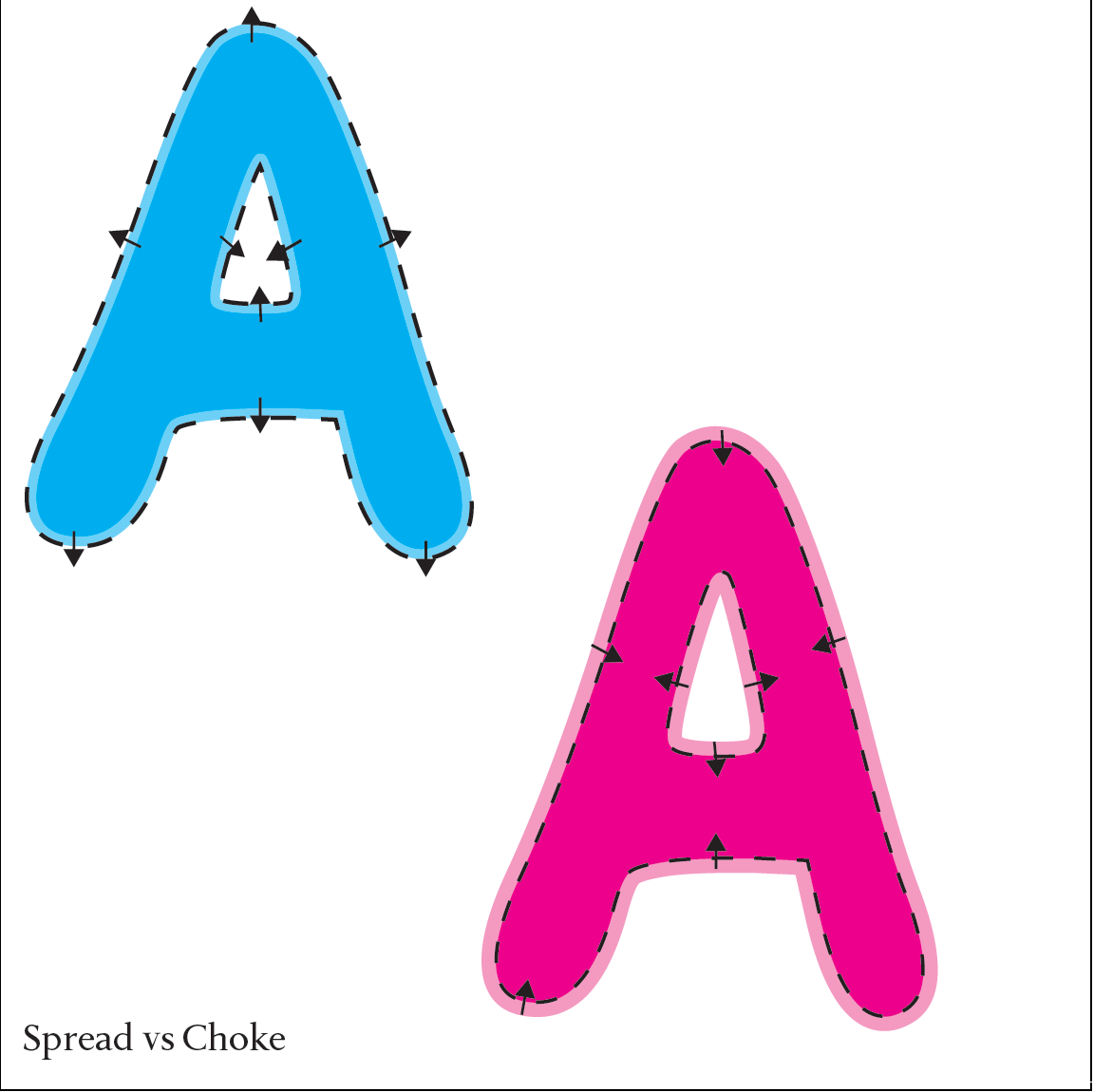
Spread vs Choke
In a spread, the object above is “knocked out” of the one below, and the upper color is extended to cover the lower color. In a choke, the object above is “knocked out” of the object below, and the background color is brought into the knocked-out area to ensure proper trapping.
-
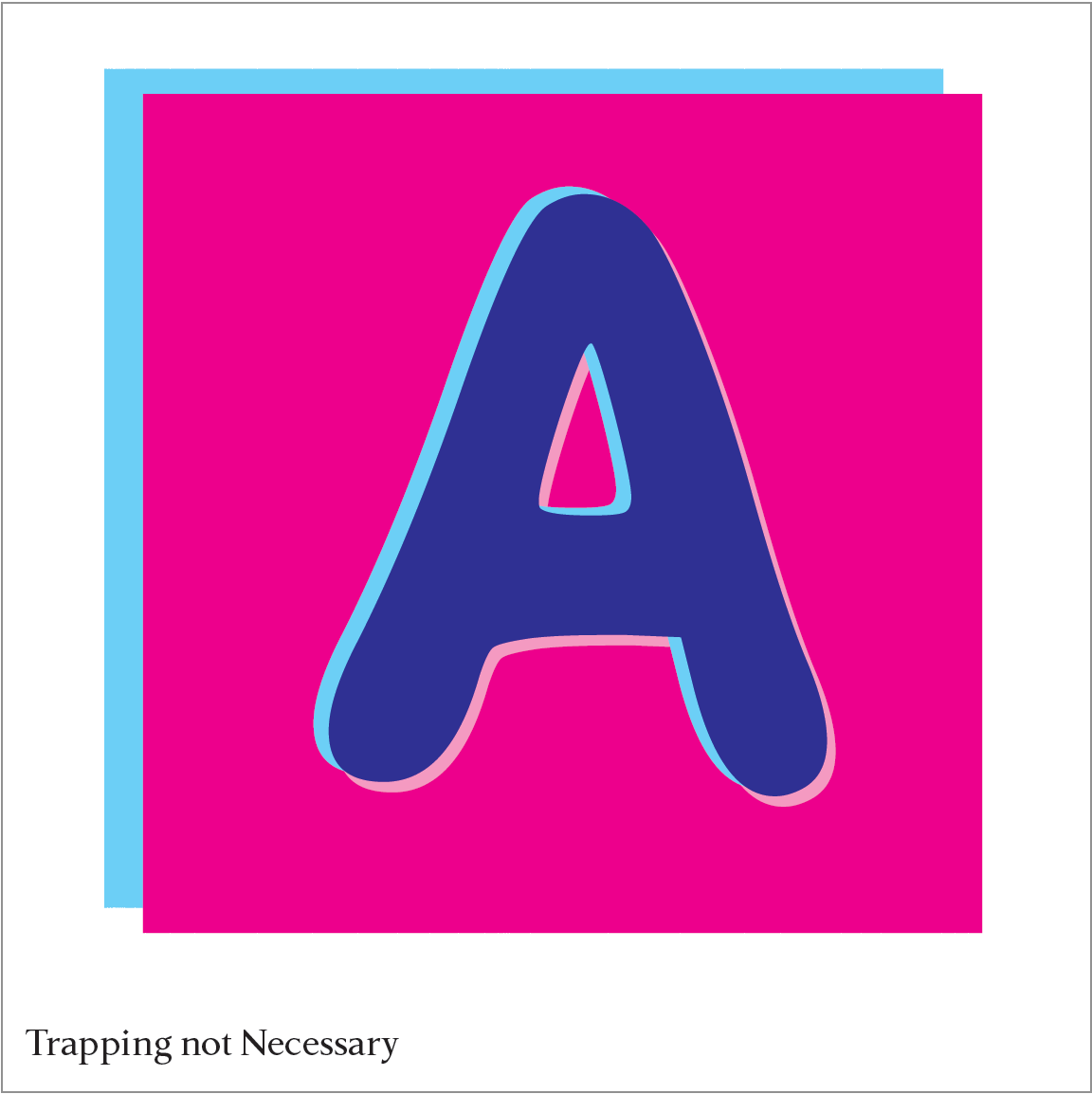
Trapping not Necessary
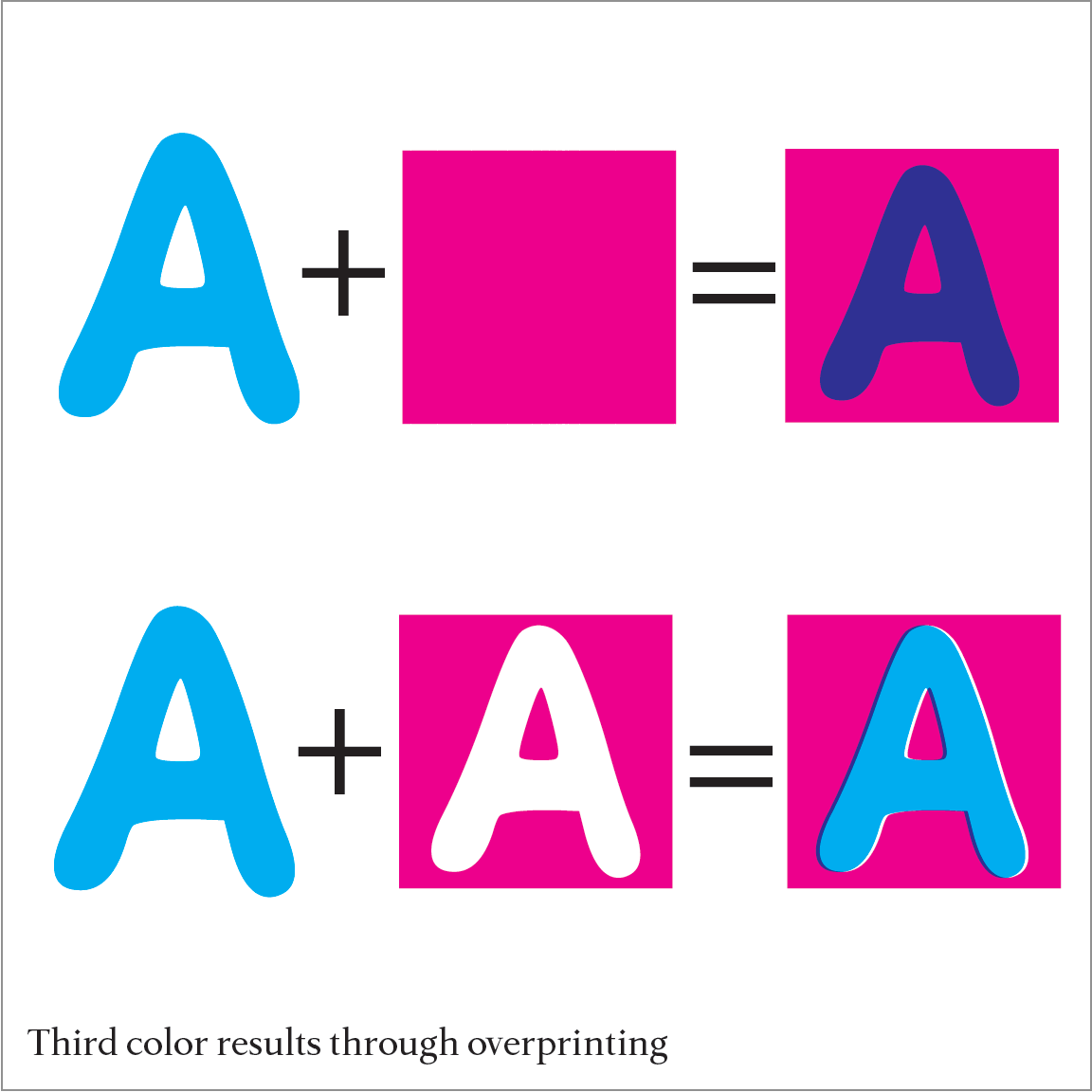
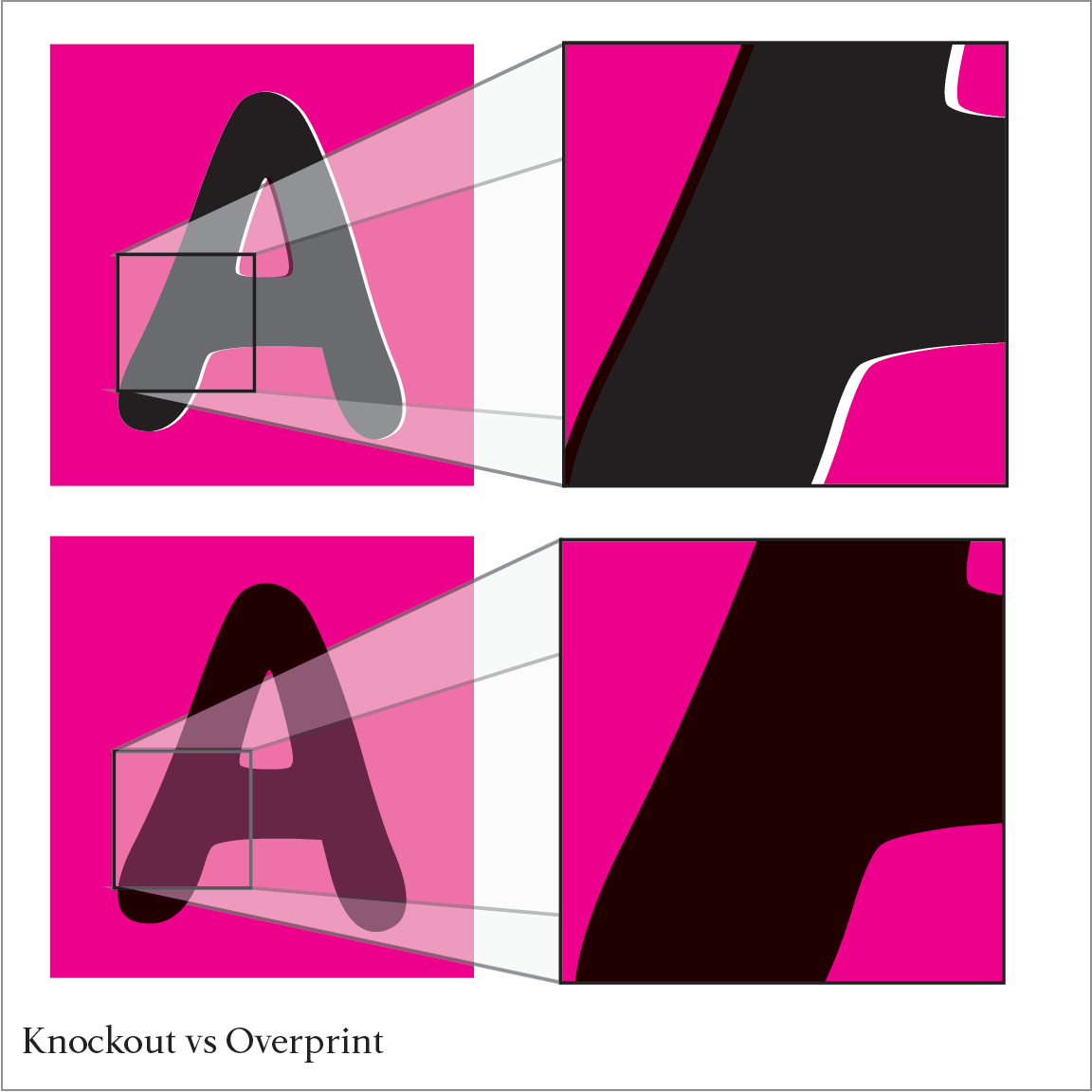
(Un)intentional Third color Sometimes, the resulting color from the overprinting of two other colors is a desired effect, as two inks overlap to create a third color. Trapping would prevent the appearance of the third color.
-
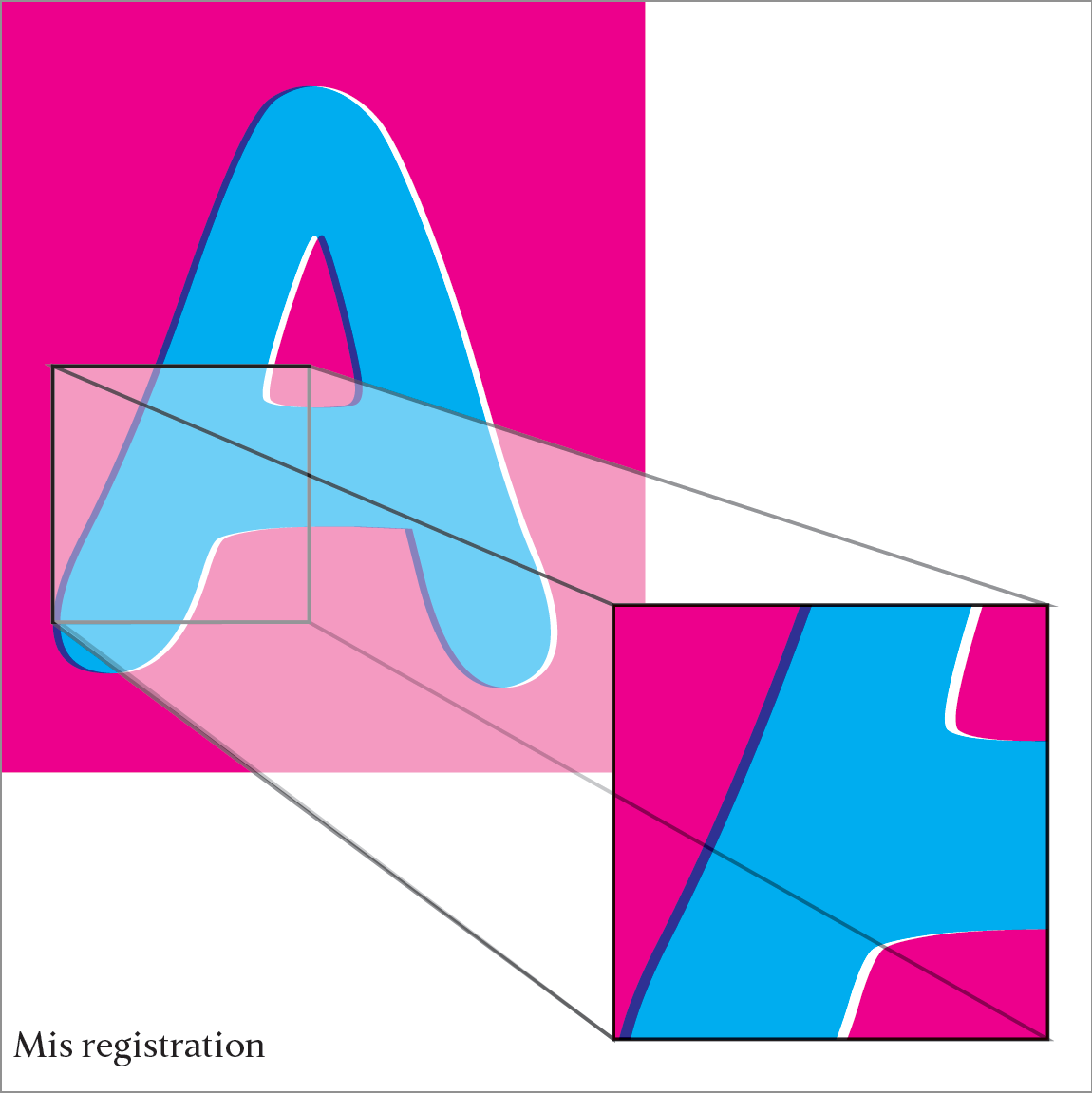
Misregistration
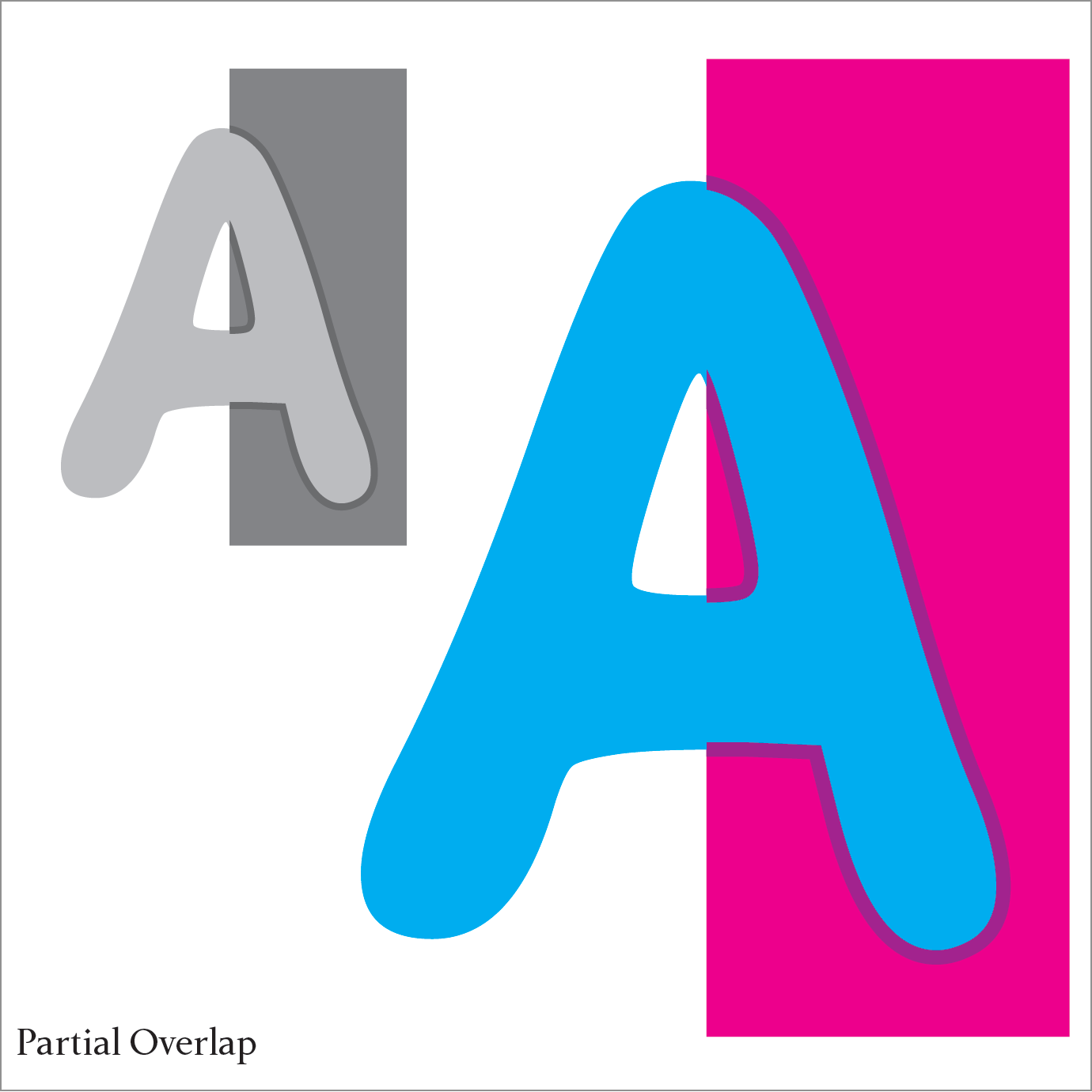
Through the printing process, paper can shift from one color unit to the next. Without proper or any trapping, image shifting or misregistration will result.